Forklaringsvideo for sosiale medier — Social screen style
Lag en forklaringsvideo for sosiale medier: en gjenskapt profil, innlegg, tellere og kommentarer for å forklare trender, skapere og algoritmer. En gratis stil, på 1 klikk.
I gratisplanen: 3 videoer i måneden med vannmerke · forhåndsvisning generert av ClipOnIt-motoren
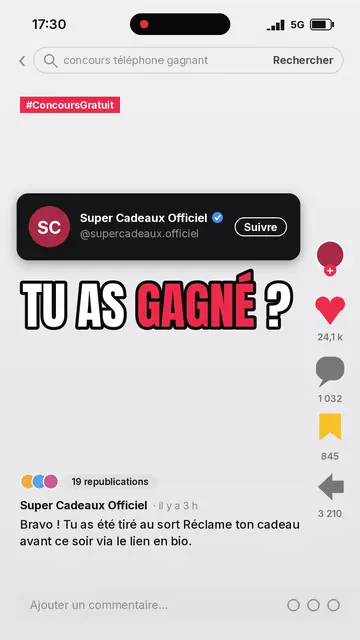
Slik ser denne stilen ut
Social screen recreates a social network interface and uses it as the backdrop for an explanation. The interface is generic: no real logo or brand, only the conventions everyone recognises. At the top, a status bar and a search bar showing the topic being typed, then a red tag. A dark profile card introduces an account, with an initials avatar, a badge and a button that gets pressed halfway through the scene.
In the middle, a big condensed outlined headline, then the post's media: an imported image or a drawing from the pixel art library. On the side, an action column with its counters, the heart beating halfway through. The post text can stay fixed or follow the voice word by word, and a comment bar closes the screen. Viewers feel like they are scrolling their feed while something is being explained to them.
Temaer den passer til
Avoid: topics unrelated to the internet (ancient history, natural science, geography): the app backdrop feels out of place. Also avoid presenting a real person or brand as the author of an invented post; stick to fictional accounts or public facts.
- Trends and viral momentsShowing how a post takes off from zero, with the counters climbing, speaks to anyone who scrolls.
- AlgorithmsThe search bar, profile and counters give concrete objects to explain what the platform measures.
- Online safetySpotting a fake account, a scam or fake news becomes visual: the suspicious profile is shown as you would see it.
- Marketing and creatorsA posting tip, an account strategy or a case study is told in the format it lives in.
Videoideer i denne stilen
- Spot a fake account in 30 seconds
The profile appears, then each scene points at one sign: stolen avatar, inflated counters, repeated comments.
- How a trend takes off
A post at zero, then hearts and shares climbing scene after scene, with the reason behind each jump.
- What the algorithm really looks at
The search bar types the question, then watch time, shares and comments come up one by one.
- An online controversy explained
The original post, the reactions in the comments, then what happened next: it all fits on the phone screen.
Få det på 1 klikk
- Åpne lenken til denne stilen
Knappen «Lag en video i denne stilen» åpner editoren med denne stilen allerede valgt. Uten konto tar registrering ett minutt og krever ikke kort.
- Skriv emnet ditt i én setning
En idé er nok. Du kan også lime inn teksten din, eller, med Starter, fortelle inn i mikrofonen: videoen bygger da på stemmen din.
- Gjennomgå, så render
AI skriver scenene, velger elementene i stilen og tidsetter dem etter ordene, med stemme og undertekster. Du retter det som er feil, og så er den vertikale MP4-filen klar om noen minutter.
Det du kan justere
For each scene you choose the search text, the red tag, the account name and handle, the button label, the headline, the post text and the four counters. The status bar clock and the main account are set for the whole video. The media can be an image of yours or library elements, which you move or swap; you can also ask for three variants of a scene, change its length and narration, and adapt the theme colours. From Starter, your own voice and the AI Director are available.
Frequently asked questions
Gratis eller ikke, resultat, bruk: kort forklart.
Does the style use a real social network's logo?
No. The interface is recreated and generic: people recognise a social feed without any real platform's logo, name or branding appearing.
Can I add my own screenshot or image?
Yes, an imported image becomes the post's media. Check that you have the right to show it, especially if people appear in it.
Which platforms is the video made for?
The MP4 comes out vertical at 1080×1920, with voice and captions built in: it posts as is on TikTok, Reels and Shorts.
Er denne stilen med i gratisplanen?
Ja. Det er en av de 8 stilene i gratisplanen: 3 videoer i måneden med ClipOnIt-vannmerke, uten kredittkort. Starter ($29/måned) fjerner vannmerket, gir 15 videoer i måneden og åpner alle 24 stiler, pluss din egen.
Hvis du liker denne stilen
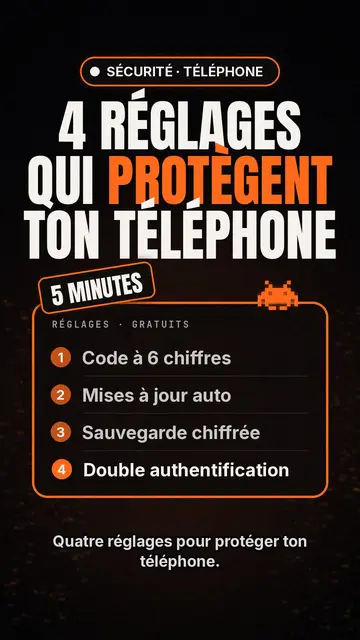
Tech top list video maker
Tech list style · Tech card on black, glowing badge, numbered list.
- Gratis
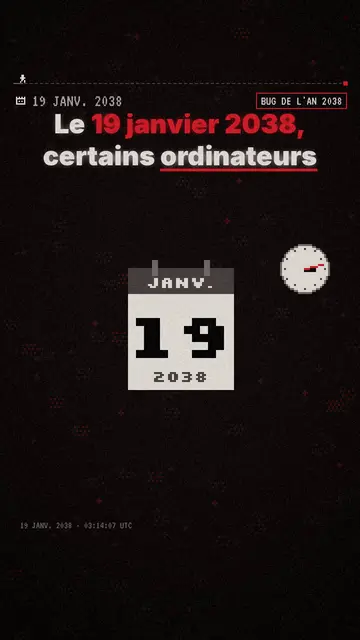
Pixel art explainer video maker
Pixel News style · Grey-and-red pixel art, dated HUD, word-by-word captions.
- Gratis
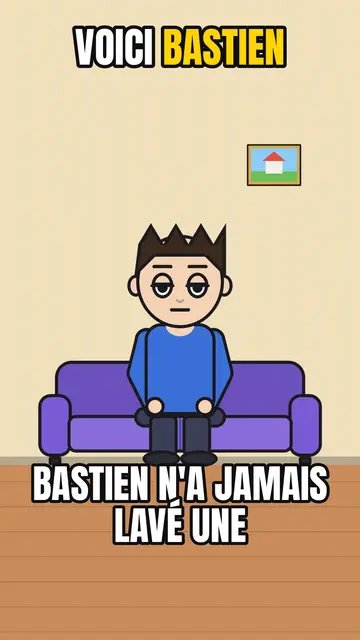
AI cartoon video generator
Comedy cartoon style · Comic cartoon, expressive characters with bold outlines.
Din idé, i denne stilen
Skriv en setning eller si den: stilen er allerede valgt når du kommer til editoren.